

Parent-Teacher meeting: How to access
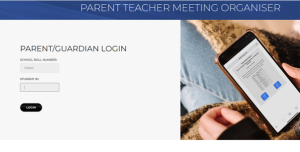
To access Parent teacher meeting, login to PTMO organiser or www.ptmorg.com and click on parent login.
School roll no: 70900i
Student ID: (same as vsware ID – you will find this in your app or sent previously in vsware text)
Once you login, you will see list of times and names of teachers and links
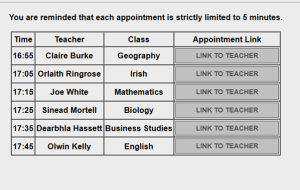
Click on each link a couple of minutes before the time on your schedule. You do not need to have teams on your computer – just click on open or continue on browser.
You will be brought to a waiting room.
Teacher will admit you to meeting at times as per schedule.
Please ensure your display name is correct so that teacher knows who to admit at each time slot as there may be more than one parent in waiting room.
Cameras on please. No recording.
When you are finished, click on leave meeting.
If you are unable to access PTMO organiser for any reason, the list of links is also published on the school website at BACKUP LINKS NB if you use back-up links, you will need your times printed/schedule beside you.